AV Integration Specialists
VSS
CCTV Solutions
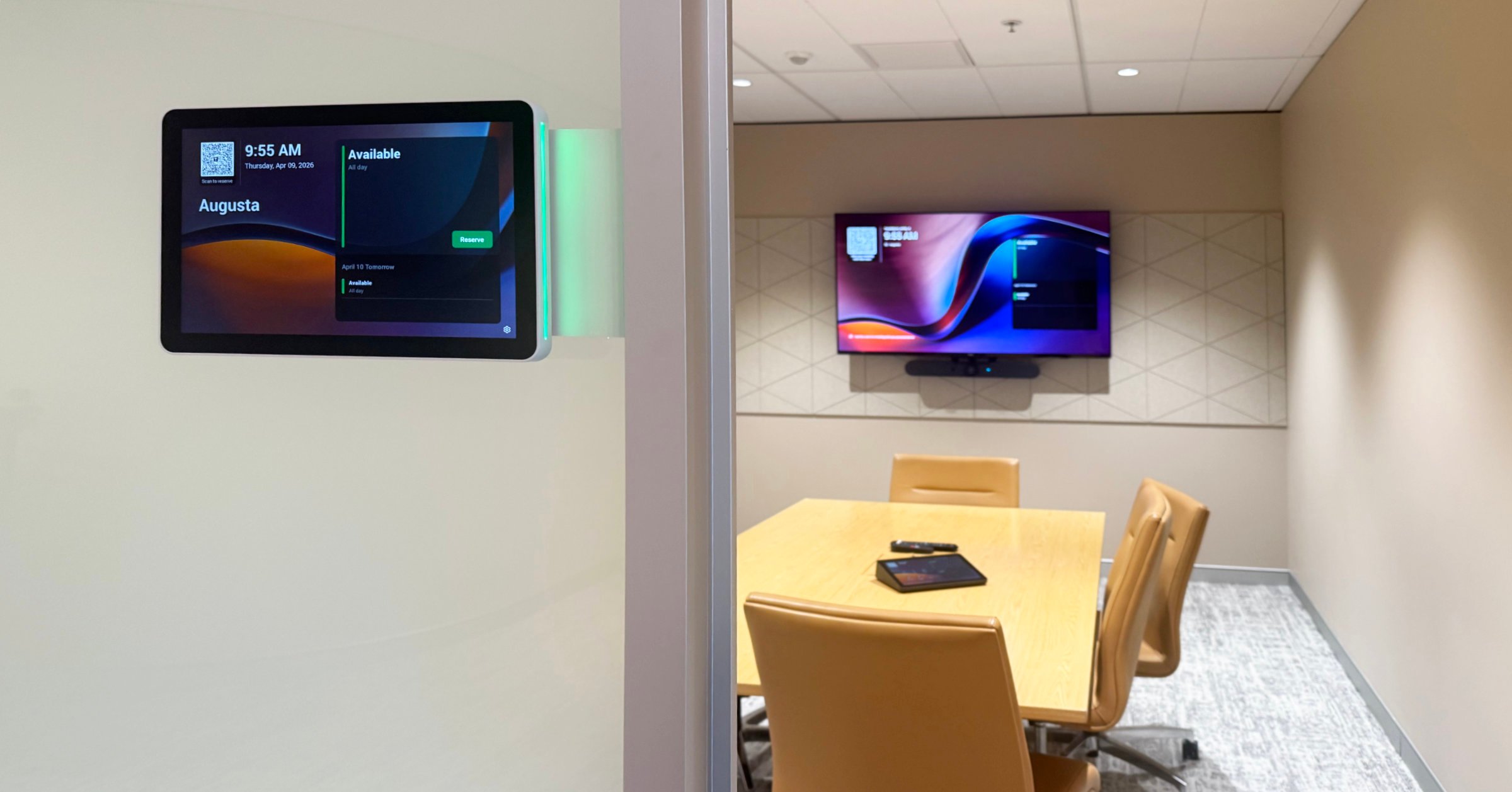

Council AV and videoconferencing rooms are now core infrastructure for local government in Australia. These environments support operational meetings, hybrid collaboration, and engagement with internal and external stakeholders across metropolitan, regional, and remote locations.
For councils of all sizes, these rooms are no longer optional upgrades but essential systems that underpin decision-making, service delivery, and community engagement, and are compliant with organisational governance requirements.
The value of a videoconferencing room is determined by how easy it is to use and how well the space supports all meeting participants.
A well-thought-through and properly configured room also reduces reliance on IT support. Users should be able to walk in, start a meeting and use the space confidently without needing technical assistance. In practice, that means less downtime, fewer support requests and more efficient meetings.
In council environments, that means:
Platforms such as Microsoft Teams Rooms, Zoom Rooms and Webex Rooms play a key role, but their success ultimately depends on how well the room is designed, integrated and supported.
Effective council videoconferencing rooms, regardless of platform, adhere to four fundamental principles:
These principles ensure that rooms are widely adopted and trusted operational assets within the organisation.
Modern meeting rooms are typically delivered via platforms such as Microsoft Teams Rooms, Zoom Rooms and Webex Rooms, which provide purpose-built environments for scheduled meetings and hybrid collaboration.
Many councils are increasingly standardising on Microsoft Teams Rooms, particularly where Microsoft 365 is the primary collaboration platform. However, Zoom and Webex remain widely used, depending on organisational requirements and stakeholder needs.
A well-designed room will deliver a consistent and reliable experience, regardless of the platform used.
Council meeting spaces are shared environments used by people with varying levels of technical experience. Successful rooms prioritise usability, clarity, and reliability.
User Experience and Standardisation
Scheduling and Room Visibility
Picture quality and camera performance
Hands-off audio
Simplified device handling – Bring Your Own Device (BYOD)
Small meeting rooms (2–4 people)
Medium meeting rooms (5–10 people)
Large meeting rooms (10 – 20 people)
Large rooms and venue spaces (20+ people)
Dedicated audio coverage and pickup that covers the whole room, or discussion-based individual microphones, dedicated multiple PTZ or auto-tracking cameras, sophisticated vision management and control system.
Dedicated videoconferencing room systems provide clear advantages over ad-hoc or laptop-based setups:
The result is a more reliable and predictable meeting experience for all users.
To ensure long-term value, councils should focus on:
Effective videoconferencing rooms require more than selecting the right platform or equipment. They must align with how councils operate in practice.
Specialist AV integrators ensure systems are designed, deployed, and supported to deliver consistent performance across all sites and use cases.
Redfish Technologies provides specialist expertise in the design, delivery, and support of council AV and videoconferencing rooms across Australia, including environments based on Teams Rooms, Zoom Rooms and Webex Rooms.
The focus is not just on technology selection, but on delivering meeting environments that are easy to use, reliable in operation, and aligned with council workflows and governance requirements.
Videoconferencing rooms are now essential infrastructure for local government.
While platforms such as Microsoft Teams Rooms, Zoom Rooms and Webex Rooms are central to modern collaboration, the overall impact depends on how effectively the room supports real-world use.
When designed and delivered correctly, these environments:
By focusing on usability, reliability, and alignment with council operations, meeting rooms become highly adopted, trusted, and valuable organisational assets.
Contact us for information and advice on setting up videoconferencing rooms for your LGA.